
Cloud Phone Versus Desk Phone for Your Team
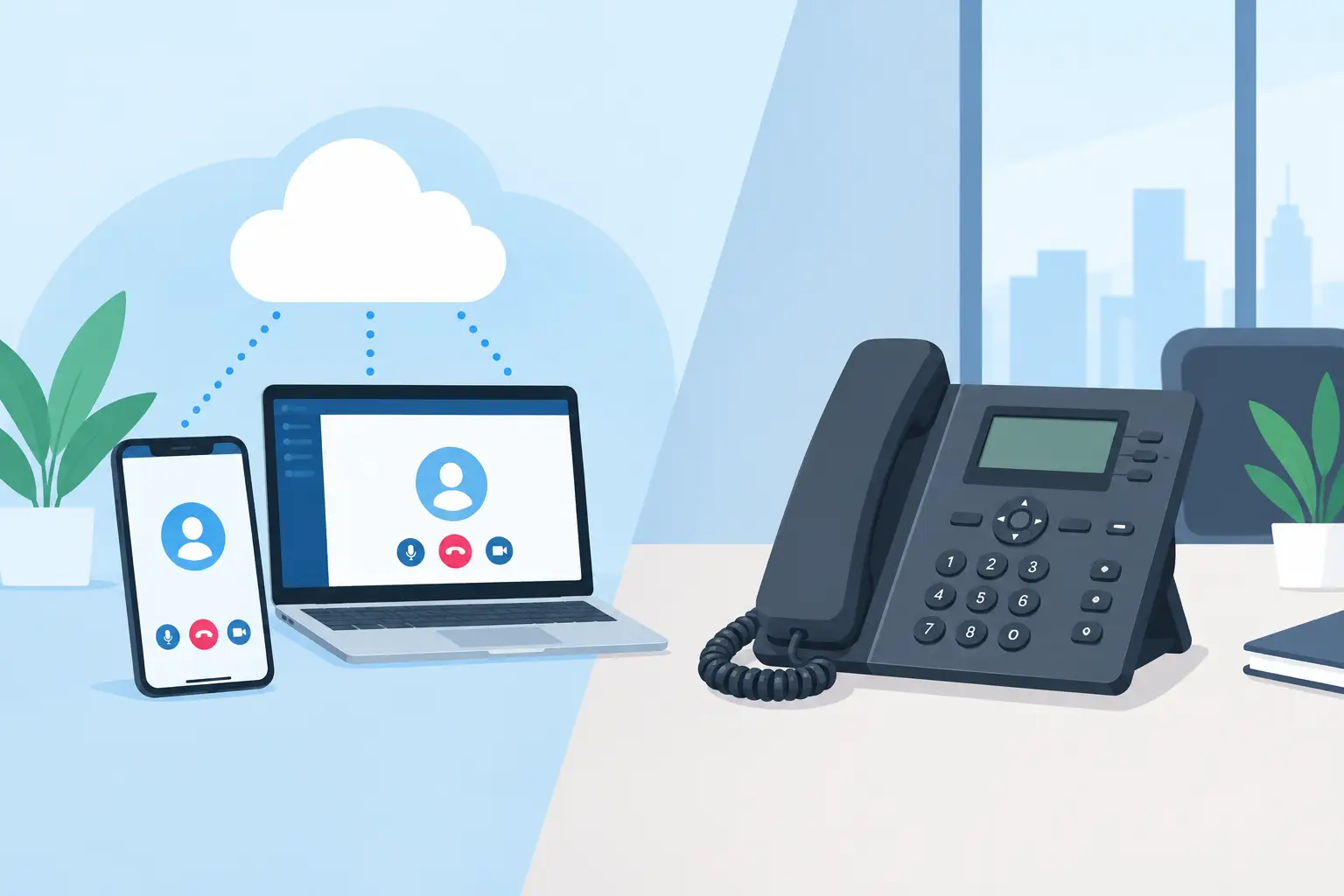
A missed call from a customer can turn into a missed job, a delayed payment, or a frustrated client. That is why the cloud phone versus desk phone decision matters more than it may seem. Your phone system needs to work when your team is at the office, helping customers in the field, or working from home.
For many Greensboro and High Point small businesses, the best answer is not simply “newer is better.” It comes down to how your people work, how reliable your internet connection is, and what happens when power or connectivity goes down. A practical phone setup should make it easier for customers to reach the right person without creating another technology headache for your staff.
What Are You Really Comparing?
A traditional desk phone system usually means physical phones connected to on-site equipment or phone lines. In some offices, that equipment is an older private branch exchange, often called a PBX. Calls are handled primarily from the building, and employees typically use the same extension at the same desk each day.
A cloud phone system, also called a hosted VoIP system, sends calls over an internet connection. The calling platform is managed off-site by the provider, while users can answer through a desk phone, computer app, or mobile app. A cloud phone does not mean your office has to give up physical handsets. Many teams use desk phones at reception and workstations while keeping the flexibility of cloud calling.
That distinction is useful because the real choice is often between an on-site phone system and a cloud-managed system, not between a handset and no handset at all.
Cloud Phone Versus Desk Phone: Day-to-Day Differences
The biggest advantage of a cloud phone system is flexibility. An employee can take their business extension with them instead of giving out a personal cell number. Calls can ring at a desk phone and mobile app at the same time, or follow a schedule based on business hours. This is helpful for sales teams, service businesses, managers who travel, and offices with hybrid staff.
Cloud systems can also make call routing easier to adjust. If your front-desk employee is out, calls can be sent to another team member, a call group, or voicemail without waiting for a phone vendor to visit the office. Features such as auto attendants, voicemail-to-email, call queues, and shared business texting may be available depending on the service plan.
Traditional desk phone systems can feel simpler for teams that work from one location and prefer familiar equipment. A receptionist who handles a steady stream of calls may appreciate dedicated buttons, visible line status, and a handset that is always in the same place. There is less change management for employees who do not need mobile access or advanced routing.
Still, a fixed system can become limiting when business needs change. Adding an employee, moving an extension, or changing call routing may require equipment, programming, or a service appointment. That is manageable for a stable office, but it can be frustrating for a growing company that needs to make changes quickly.
Cost Is More Than the Monthly Bill
A cloud phone system commonly uses a monthly cost per user. That can be easier to budget because hardware, calling features, and administration are often bundled into a recurring service plan. Some providers charge extra for phones, setup, advanced features, or international calling, so it is worth reviewing what is included before comparing prices.
A traditional system may have lower ongoing costs if the equipment is already installed and working well. However, older systems can bring repair costs, limited replacement parts, expensive programming, and fewer options when the business expands. A low monthly bill is not much of a bargain if a failing phone server leaves your office unable to take calls.
There is also the cost of staff time. If your office manager has to manually forward calls, update voicemail greetings on several extensions, or call a vendor for every small adjustment, those minutes add up. The right system should reduce those routine chores rather than shifting them onto the busiest person in the office.
Before choosing, ask whether you are paying for what your team actually uses. A five-person professional office may not need the same call-center features as a busy medical, property management, or service dispatch operation. On the other hand, choosing the cheapest plan can create problems if it cannot support call queues, after-hours routing, or enough simultaneous calls.
Reliability Depends on Your Setup
A desk phone connected to older telephone lines may keep working during an internet outage, depending on the type of service and equipment in place. That can be a meaningful advantage for businesses in areas with inconsistent connectivity. But many modern “desk phone” installations use internet-based service too, so the presence of a handset does not automatically mean the system will work without internet.
Cloud calling depends on reliable internet, sufficient bandwidth, and a properly configured network. If the office Wi-Fi is crowded, the router is outdated, or large file transfers are competing with calls, users may hear choppy audio, delay, or dropped calls. Voice traffic needs to be treated as a business priority, not as an afterthought on the same network as guest devices and streaming video.
Power also matters. If a modem, router, network switch, and cloud phone lose power, calls cannot reach the office equipment. A battery backup can keep key networking gear running through a short outage. For longer interruptions, a cloud system can often forward calls to mobile devices or another location, provided the call routing was planned in advance.
Emergency calling deserves special attention. Every business should verify that its emergency service address is accurate for each phone and location. A remote employee using a softphone from home may need different emergency location information than a user working at the main office. This is one of those details that is easy to overlook until it matters most.
Which Option Fits Your Business?
A traditional desk phone setup may be a reasonable choice if your team works entirely from one office, your current system is dependable, and your calling needs are straightforward. It can also make sense when staff members need simple, dedicated equipment and do not want to manage calls through an app.
A cloud phone system is often a stronger fit for businesses with remote employees, multiple locations, field technicians, seasonal staffing changes, or a need to answer calls away from a desk. It can help a small company present a more organized customer experience without buying and maintaining a large phone server.
The best setup may be a combination. Your front desk can use a physical cloud-compatible phone, while technicians use mobile apps and managers answer from laptops when traveling. Customers still call one business number, but your team has more than one dependable way to respond.
Four Questions to Ask Before You Switch
Before replacing anything, get clear answers to four practical questions:
- How many people need their own extension, and where do they normally work?
- What happens to incoming calls if the office loses internet or power?
- Does your network have the speed and configuration needed for clear voice calls?
- Which call features solve a real problem for your staff and customers?
It is also smart to review your current phone bill, existing contracts, telephone numbers, internet service, and network equipment. Porting a business number takes planning, and a rushed change can lead to service gaps. A good transition includes testing phones, confirming call routes, training staff, and making sure voicemail and after-hours messages are ready before the old system is disconnected.
If the answers feel unclear, that is a good time to call a Nerd. NerdsToGo Greensboro can help businesses look at the full picture, including network readiness, phone equipment, call continuity, and the support your staff will need after the change.
Your customers should not have to guess how to reach you, and your employees should not have to wrestle with the phones to do their jobs. Choose the system that fits how your business operates now, then make sure it leaves room for the next change ahead.
Need IT help in Greensboro?
Talk to your local NerdsToGo team.